
MyFxHelper - Forex Signal
MHFCORPFinance
4.274.00 Reviews
- Version
- 19.0.1
- Installs
- 100.00K
- Age Rating
- Everyone
Screenshots
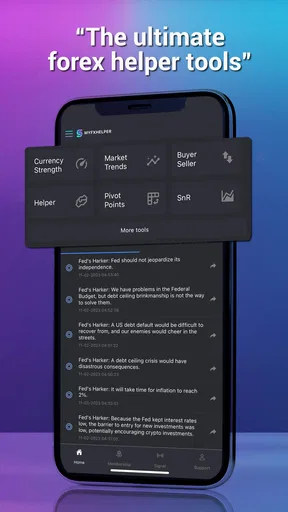
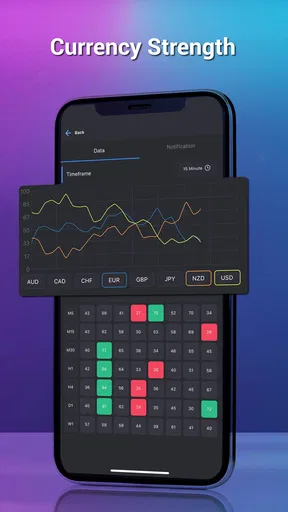
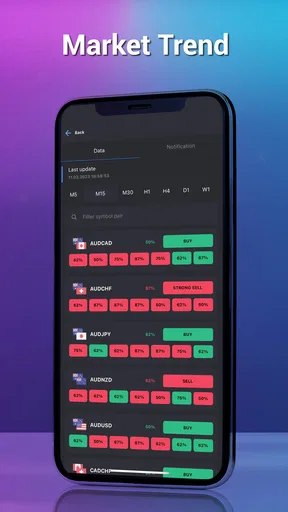
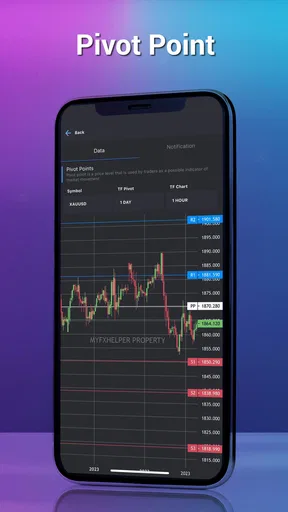
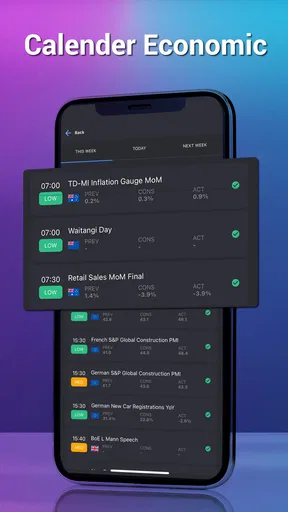
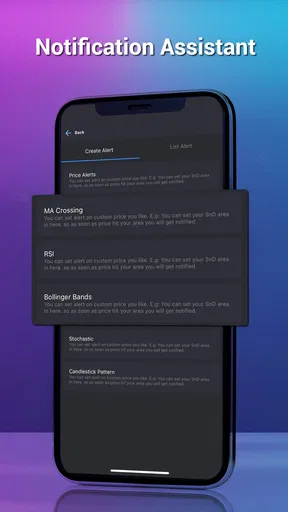
Our Review of MyFxHelper - Forex Signal
 Analysis by Appyee
I approached MyFxHelper as a practical finance app rather than a complete trading platform. Its purpose is to make forex decisions easier to organize, especially when I want a quick helper beside the broker or charting tool I already use. That distinction matters: it can support a trading routine, but it should not be treated as a substitute for learning, risk control, or careful market analysis.
The app comes from MHFCORP and is available free of charge for everyone to use. It has built a respectable audience, with an average rating of 4.2 from around 2.9 thousand ratings and more than 100 thousand installs. Those figures suggest that the basic idea is useful to many traders, although popularity alone does not tell me whether it will suit a particular workflow.
How MyFxHelper feels in everyday use
I use MyFxHelper most effectively when I treat it as a checkpoint, not a command: it gives me a reason to pause and examine a possible forex setup before moving on to my own analysis. That habit can make a short market check more deliberate, especially when I’m tempted to act quickly. The next section looks at how that focused role fits into a practical routine.
Readability and navigation for a fast-moving task
Forex is a category where clarity matters more than decoration. When I am checking a possible trade, I do not want to fight through a crowded interface or spend too long locating the information I need. MyFxHelper works best when I treat it as a focused companion: open it with a specific question in mind, review the relevant signal or helper information, and then compare that impression with my own chart and plan.
The simple identity of the app is one of its strengths. It is not trying to be a full banking dashboard, a social trading network, and a broker all at once. That narrower purpose can make the experience easier to understand for someone who wants forex-oriented assistance without installing a large, complicated trading suite.
At the same time, a focused tool still needs disciplined use. A signal can look decisive on a small phone screen even when the wider market context is uncertain. I found it more useful to pause and ask what the signal actually changes in my plan, rather than treating every indication as an instruction to open a position. The app can shorten the path to a decision, but it cannot make the decision safe by itself.
For readability, I would use the largest comfortable display available and avoid checking it while distracted. A compact screen may be convenient, but it can also encourage quick glances without enough room to compare time frames, price movement, and risk. If you have difficulty reading dense financial information, a tablet or a larger phone may be more comfortable than relying on the smallest screen.
One useful habit is to separate “reading the helper” from “placing the trade.” I first review what MyFxHelper is showing, then move to my broker or charting app only after checking position size, stop-loss placement, and the reason for entering. This two-step workflow reduces the chance that a fast tap turns a vague idea into real financial exposure.
Motor and sensory considerations
Trading tools can create pressure to act quickly, which makes motor comfort important. MyFxHelper is easier to use when I am seated, focused, and able to tap accurately. It is less suitable for hurried use while walking, commuting, or handling another task. Even a well-designed signal helper cannot remove the consequences of an accidental tap in a financial context.
I would not recommend making a trade decision from a noisy room or under poor lighting. Sensory overload can make short labels, changing figures, or alerts harder to interpret. A quiet setting gives me time to read the screen, confirm the currency pair or setup, and decide whether the information is relevant to my own strategy.
People with limited dexterity may prefer using the app as a reference rather than as the only step in an immediate execution process. The most practical adjustment is to slow down the workflow: review the information, write down the intended action, and perform the actual order in a broker interface that feels familiar. That approach also helps users who find rapid screen changes tiring or stressful.
For users with visual sensitivities, I would keep the phone brightness and system text settings at a comfortable level and avoid staring at the app during highly volatile periods. I cannot treat the app as a certified accessibility product, so anyone who depends on a particular screen reader behavior, color treatment, or enlarged control should test those needs directly on their own device before relying on it.
That practical caution is not a criticism unique to this app. Finance software often presents information in compact spaces, and forex adds the problem of changing market conditions. MyFxHelper is most approachable when I use it deliberately, with enough time to verify what I am seeing instead of expecting the app to accommodate every situation automatically.
Situational access: when the app helps and when it does not
A realistic use case would be a part-time trader who checks the market before work. I might open MyFxHelper with a watchlist already in mind, inspect the available forex guidance, and then compare it with the chart in my normal trading platform. If the helper agrees with a setup I had already planned, it can save time. If it conflicts with my analysis, that disagreement is valuable too: it tells me to investigate rather than follow blindly.
Another useful situation is journaling. I can record what the app appeared to suggest, what I decided, and what happened afterward. Over time, that gives me a more honest view of whether the tool improves my process or merely makes me feel more confident. The important insight is that the app becomes more useful when it is part of a repeatable review habit, not when it is treated as an oracle.
It may also suit a learner who is trying to understand how signals fit into a broader trading routine. I would use it alongside educational material and a practice environment, concentrating on why a setup might be considered interesting. I would not begin with money at risk simply because the interface makes a recommendation feel convenient.
The free entry point makes experimentation easier. Someone can see whether the workflow fits before committing to a paid finance service. However, the presence of in-app purchases ranging from $6.99 to $334.99 per item means I would pay close attention to any purchase screen and decide in advance what, if anything, I am willing to spend. “Free” is useful for trying the app, but it should not be confused with unlimited access to every possible part of the experience.
For a user who needs a complete trading environment, the usual broker app is likely better for order execution, account management, and portfolio information. For detailed technical analysis, a dedicated charting platform may offer a deeper workspace. MyFxHelper makes more sense between those tools: it can act as a forex-focused reference, while the broker and charting applications handle responsibilities that a helper should not be expected to cover.
Remaining barriers and important trade-offs
The largest barrier is not necessarily a button or a menu; it is the risk of overconfidence. A signal-oriented app can make a complicated market feel simpler than it really is. I would never let a single screen determine my leverage, entry size, or willingness to accept a loss. Those decisions need rules that exist independently of the app.
Another limitation is context. A helper may point toward an opportunity, but I still need to understand the broader conditions around it. News, volatility, spread, timing, and the behavior of the specific currency pair can all change how useful a signal is. If I cannot explain why I am considering a trade beyond “the app indicated it,” I am not ready to place that trade.
There is also a learning barrier for complete beginners. The app may make forex more approachable, but approachability is not the same as education. New users should first become comfortable with terms such as entry, stop-loss, leverage, spread, and risk-to-reward. Without that foundation, concise guidance can be misunderstood, especially by someone who expects a clear prediction rather than an imperfect aid.
Users who need extensive accessibility customization should test the current version, 19.0.1, on their own phone before building a daily routine around it. The app supports devices running Android 7.0 or later, which gives it a broad reach among Android users, but operating-system compatibility does not guarantee that every individual navigation or visual need will be met.
I also think about interruptions. Forex decisions made during a short break, with a weak connection, low battery, or divided attention, are more vulnerable to mistakes. MyFxHelper may be convenient in those moments, but convenience can become a weakness if it encourages impulsive action. I would rather miss a possible trade than enter one without enough time to check the details.
The age classification is Everyone, which makes the app broadly approachable from a content perspective. That does not mean it is financially appropriate for every person. Younger or inexperienced users still need adult guidance and a clear understanding that forex involves real risk. The friendly presentation of a finance tool should never be mistaken for a guarantee of easy results.
Who should use it, and who should choose something else?
I see MyFxHelper as a good match for an existing forex user who wants a lightweight companion to an established process. It can also appeal to someone comparing different ways to organize market checks, provided that person is prepared to verify signals independently and keep strict limits around spending and trading risk.
I would recommend skipping it if you are looking for a one-stop broker, a full charting workstation, or a guaranteed route to profitable trades. A dedicated broker is the better choice for account and order functions. A serious technical analyst may prefer a richer charting service. A complete beginner may benefit more from structured education and simulated practice before adding signal guidance to the routine.
My advice is to test it with observation rather than immediate commitment. Use it for a period of paper planning, note what it suggests, compare the suggestions with your own analysis, and review whether it genuinely saves time. Do not judge it only by whether one idea worked. A useful tool should improve consistency and decision quality, not simply produce occasional exciting outcomes.
MHFCORP has positioned this as a free forex helper, and that description fits my experience better than calling it a complete trading solution. The app’s strength is its focused role and low-friction starting point. Its weakness is the temptation to give a compact signal more authority than it deserves.
My inclusive verdict
I would recommend MyFxHelper to readers who want a straightforward forex companion and who are comfortable slowing down to verify what they see. Its 4.2 average and audience of over 100 thousand installs show that it has found a real place among finance-app users, but my recommendation is based more on the workflow than on those figures.
The best experience comes from using a larger, comfortable screen, choosing a quiet moment, and keeping the app separate from the final execution step. That setup supports people who need more time to read, users who prefer reduced pressure, and traders who want a clear checkpoint before acting. It also exposes the app’s proper limits instead of hiding them.
My final view is positive but careful: use MyFxHelper to support a trading process, never to replace one. It is worth trying if you want a free, forex-specific aid and already understand that every signal needs context. If you need deep accessibility controls, advanced chart analysis, broker functions, or a structured learning path, another tool will probably serve you better. For the right user, though, this app can make market preparation more organized without pretending that forex itself is simple.
Verdict
Strengths of MyFxHelper - Forex Signal
- Clear forex signals help beginners spot potential trading opportunities.
- Useful market updates support quicker decision-making during volatile sessions.
- Simple interface makes finding signals and currency pairs relatively easy.
- Can complement a personal trading strategy without requiring complex chart tools.
- Convenient mobile access keeps alerts and analysis available while traveling.
Limitations of MyFxHelper - Forex Signal
- Signals are not guaranteed and may lead to losses without proper risk management.
- Some features or signals may require a paid subscription or in-app purchase.
- Signal timing can be affected by delays in notifications or market conditions.
- Limited educational content may leave beginners unsure how to evaluate recommendations.
- Forex trading involves leverage and significant financial risk for inexperienced users.
Similar Picks in This Category
View All
Google Wallet
Google LLC4.3

Airtel: Recharge, Bank & Loans
Airtel4.0

PayPal - Pay, Send, Save
PayPal Mobile4.2

DANA Indonesia Digital Wallet
PT Espay Debit Indonesia Koe4.5

Binance: Buy Bitcoin & Crypto
Binance Inc.4.8

Cash App
Block, Inc.4.7
Frequently Asked Questions
What is MyFxHelper - Forex Signal, and how does it work?
MyFxHelper - Forex Signal is a mobile app designed to provide forex trading signals and market-related information. After opening the app, users can review available currency-pair recommendations, including potential entry points, stop-loss levels, and take-profit targets when provided. It is intended to support analysis and decision-making, not to place trades automatically or guarantee profitable results.
Are the forex signals in MyFxHelper reliable or guaranteed to make money?
No forex signal can guarantee profits, and MyFxHelper should not be treated as a risk-free trading solution. Signal quality may vary depending on market volatility, timing, currency pair, and the strategy behind each recommendation. Before following a signal, users should verify the information independently, understand the suggested risk, and avoid investing money they cannot afford to lose.
Does MyFxHelper require a broker account or connect directly to my trading account?
The app is primarily used for viewing forex signals and related trading information, so users may need a separate account with a supported broker to execute trades. Availability of broker integration, automated execution, or account-linking features can depend on the current version of the app and the user’s region. Check the app description and permissions before connecting any financial account.
Is MyFxHelper - Forex Signal free to download and use?
MyFxHelper may be available to download at no initial cost, but some features, signal packages, subscriptions, or premium content may require payment. Pricing and access conditions can change, so it is important to review the Google Play Store or Apple App Store listing before downloading. Also check whether subscriptions renew automatically and whether cancellation must be completed through your store account.
What should beginners know before using MyFxHelper for forex trading?
Beginners should understand that the app is only a tool for receiving or reviewing market signals and does not replace proper forex education. Learn the basics of leverage, spreads, margin, stop-loss orders, and position sizing before risking real money. It is safer to practise with a demo account first, keep risk small, and treat every signal as an opinion rather than a guaranteed instruction.
